
Configuring Tier Discounts
Learn how to configure automatic store discounts based on customer EcoTier levels.
Configuring Tier Discounts
LoyaltyTree combines eco-friendly environmental rewards with traditional loyalty benefits. In addition to tree planting and plastic cleanup rewards, you can offer automatic store discounts based on customer EcoTier levels—all included for FREE.
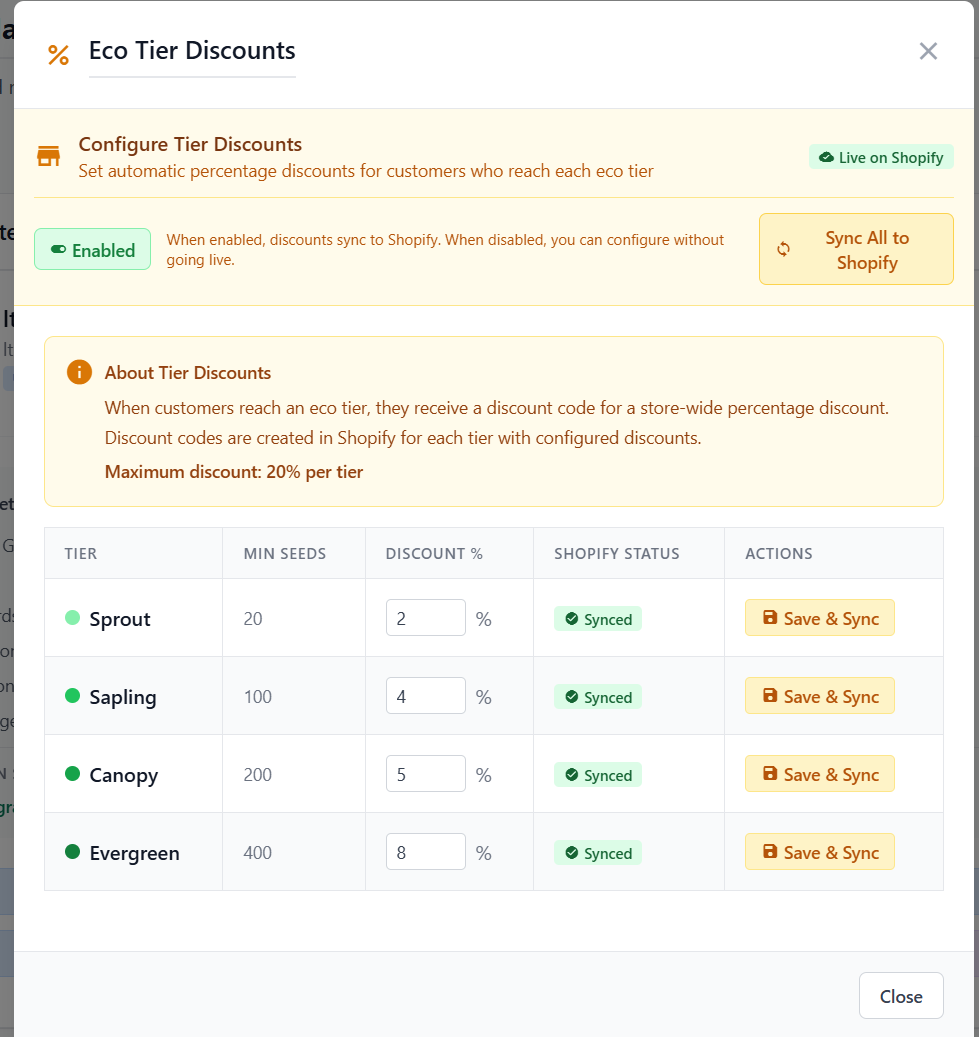
Configure automatic percentage discounts for each EcoTier level
The Complete Loyalty Package
LoyaltyTree offers three types of rewards that work together:
- Eco-Products: Tree planting, plastic cleanup, and other environmental initiatives
- Tier Discounts: Automatic store-wide percentage discounts
- Gift Cards: Convert earned seeds into store credit
Accessing Tier Discounts
- Go to Stores in your admin dashboard
- Click on your store
- Click Tier Discounts in the store settings
Understanding the Settings
Enable/Disable Toggle
When Enabled, discounts sync to Shopify and become active. When disabled, you can configure without going live.
Discount Configuration Table
For each EcoTier, you can set:
- Tier: The tier name (e.g., Sprout, Sapling, Canopy)
- Discount %: The percentage discount (maximum 20%)
- Shopify Status: Shows if the discount is synced to Shopify
Example Configuration
| Tier | Min Seeds | Discount |
|---|---|---|
| Sprout | 20 | 2% |
| Sapling | 100 | 4% |
| Canopy | 200 | 5% |
| Evergreen | 400 | 8% |
Syncing to Shopify
- Configure your discount percentages for each tier
- Click Save & Sync for each tier, or Sync All to Shopify
- The Shopify Status will show "Synced" when complete
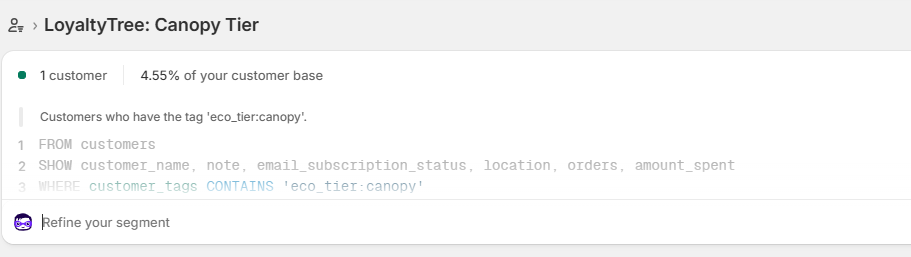
LoyaltyTree creates Customer Segments for each of our ECO Tiers and we automatically keep registered users updated so the segments match the customers. NOTE: we keep registered customers tags updated regardless so you can create your own segments if you want. 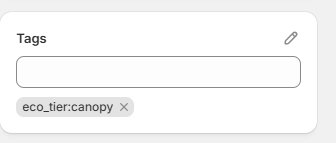
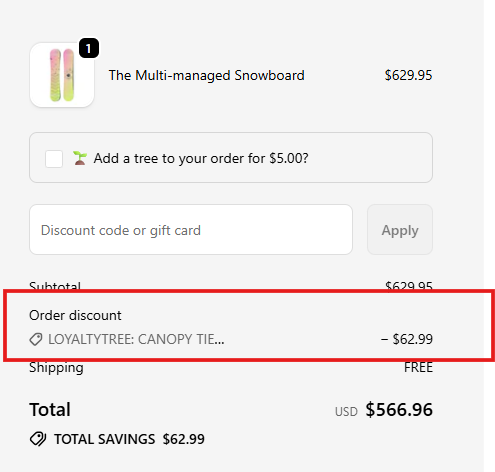
When you synce the discount we create and Automatic Discount (no codes required) that applies always to this customer (so be carefull). It does NOT combine with other discounts, just in case.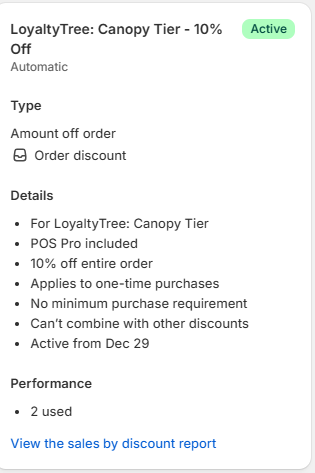
How Customers Use Discounts
- When a customer reaches an EcoTier, they will see the discount amount in their loyalty widget
- When they go to checkout the discount is automatically applied.
Best Practices
- Start small: Begin with modest discounts (2-5%) for early tiers
- Progressive increase: Reward higher tiers with better discounts
- Balance with eco-rewards: Discounts complement tree planting, not replace it
- Consider margins: Ensure discount levels work with your profit margins
The Value Proposition
With LoyaltyTree, your customers get the best of both worlds:
- Feel-good impact: They're genuinely helping the environment
- Immediate savings: Traditional discounts they can use right away
All included FREE with your subscription—no additional costs for tier discounts or gift cards.
Next Steps
Learn about configuring gift cards to offer another way for customers to redeem their seeds.