
Store Credits & Billing
Complete guide to managing your store's ECO credits, subscription plans, and billing through Shopify.
Store Credits & Billing
Complete guide to managing your store's ECO credits, subscription plans, and billing through Shopify.
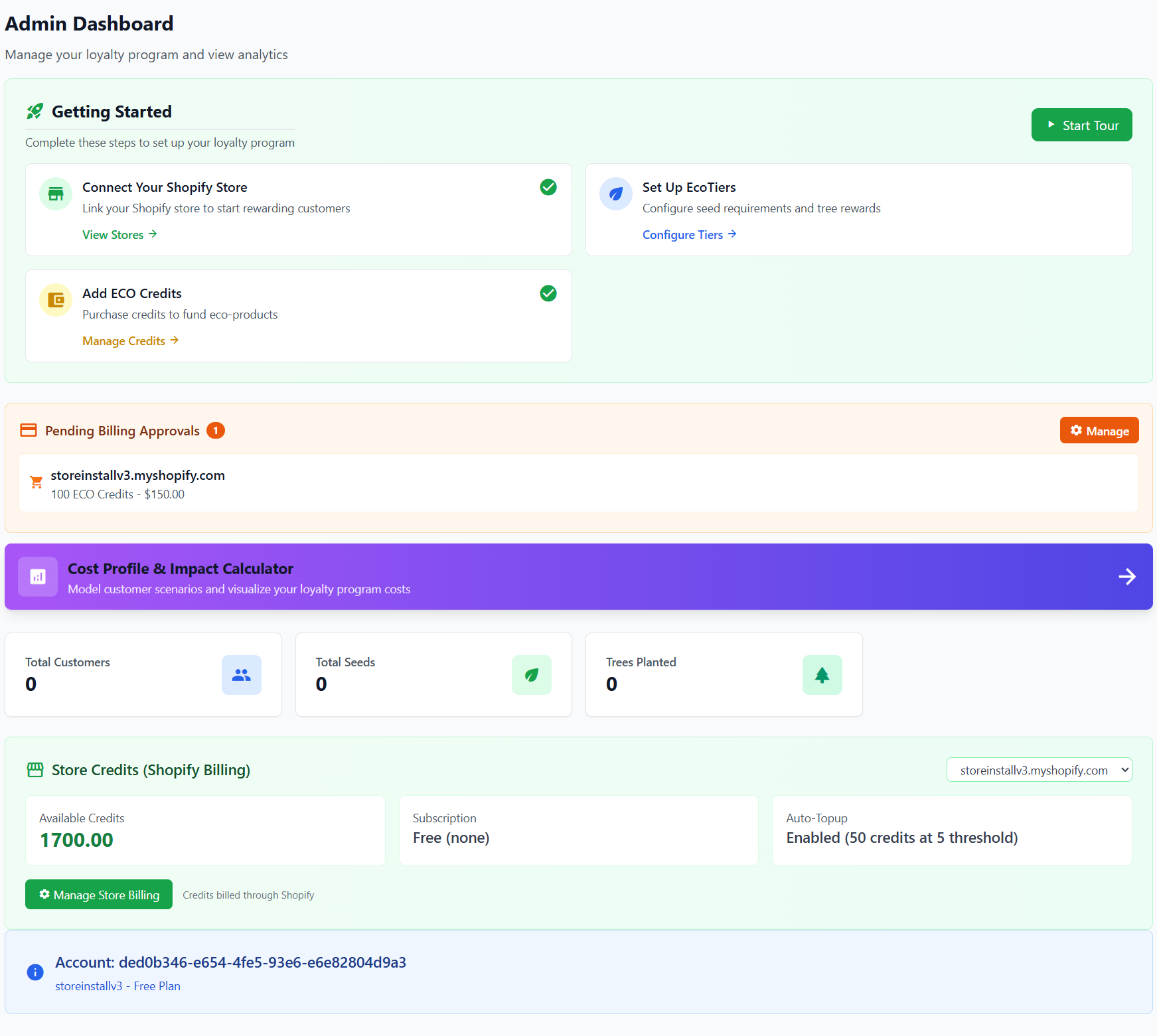
Accessing Store Billing
Navigate to Settings from the admin sidebar to access your store's billing and credits management.
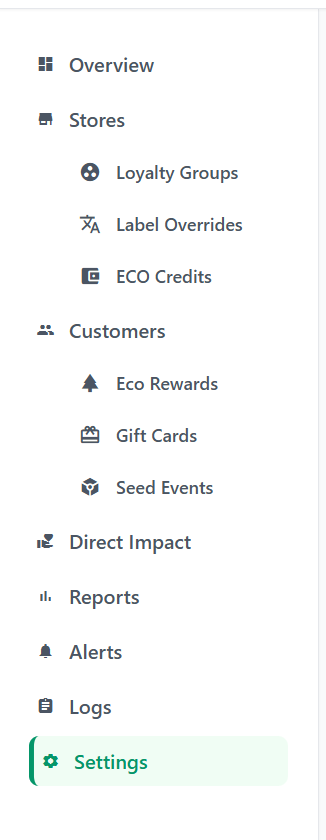
Understanding the Billing Dashboard
The Store Credits & Billing page provides a complete overview of your store's credit balance, subscription plan, and billing history.
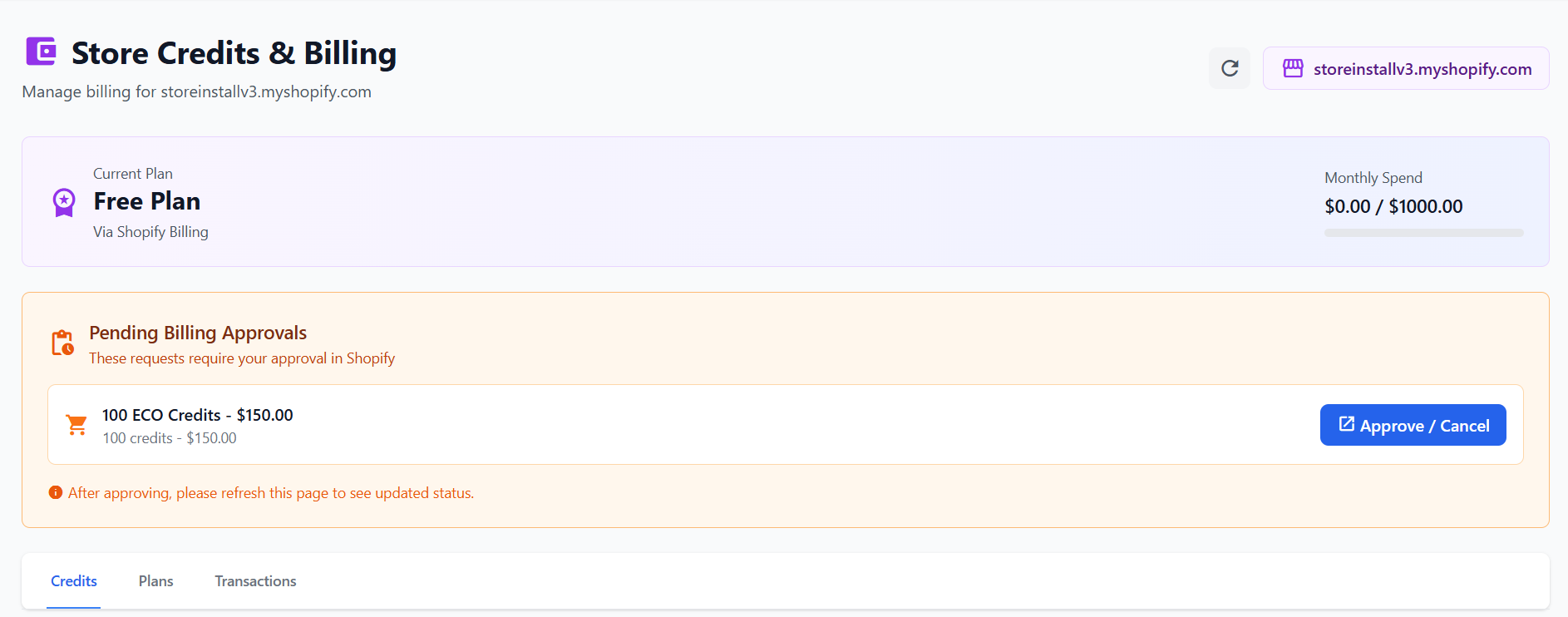
Key information displayed includes:
- Current Plan - Your active subscription tier (Free, Standard, or Enterprise)
- Monthly Spend - Your current usage against your monthly spending cap
- Pending Billing Approvals - Any credit purchases awaiting your approval in Shopify
Credit Balance Overview
The Credits tab shows your current credit status:
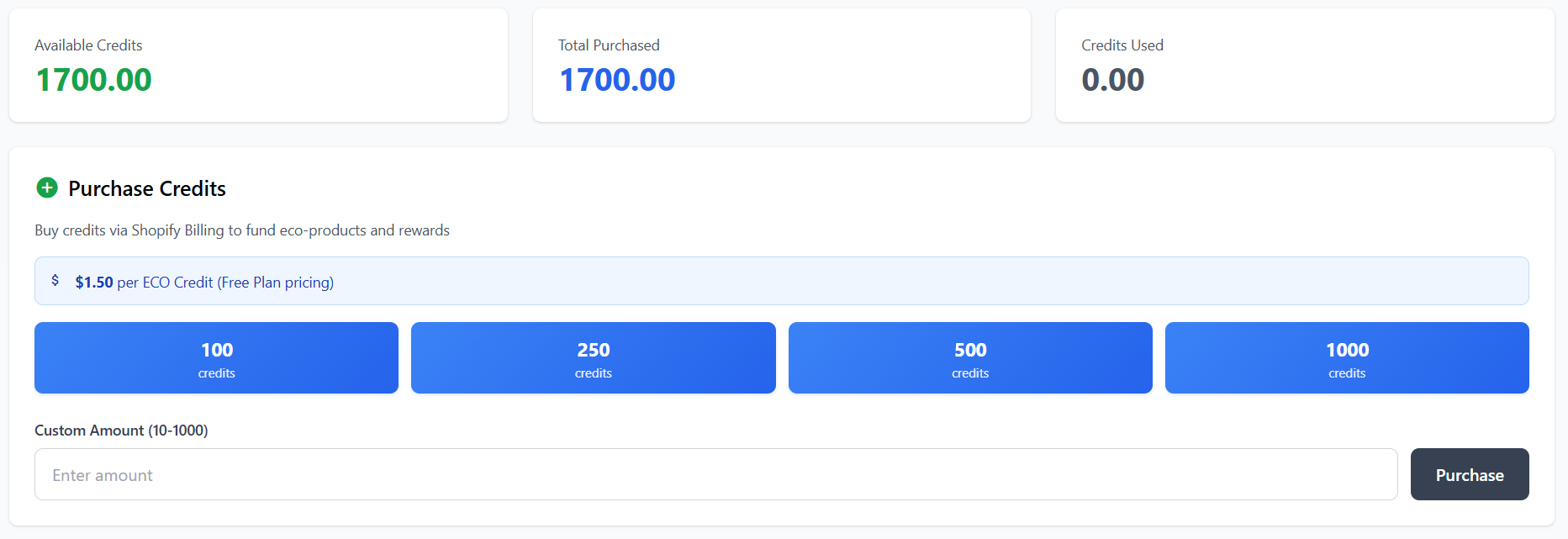
- Available Credits - Credits ready to use for eco-rewards and tree planting
- Total Purchased - Lifetime total of credits purchased
- Credits Used - Credits consumed for eco-rewards
Subscription Plans
Click the Plans tab to view and upgrade your subscription plan. Higher plans offer better credit pricing and additional features.
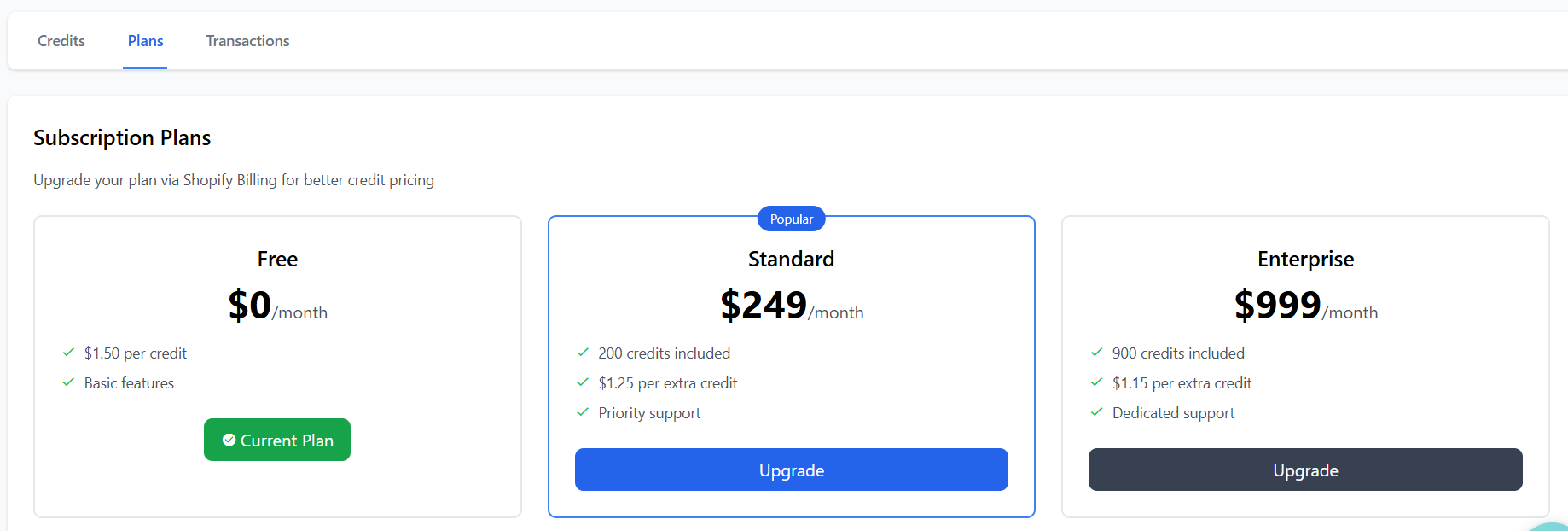
| Plan | Price | Credit Price | Included Credits |
|---|---|---|---|
| Free | $0/month | $1.50 per credit | None |
| Standard | $249/month | $1.25 per extra credit | 200 credits |
| Enterprise | $999/month | $1.15 per extra credit | 900 credits |
Purchasing Credits
Purchase additional ECO credits to fund your loyalty program's eco-rewards and tree planting initiatives.
Purchase options:
- Preset Amounts - Quick-buy buttons for 100, 250, 500, or 1000 credits
- Custom Amount - Enter any amount between 10-1000 credits
When you click Purchase, you'll be redirected to Shopify to approve the charge:
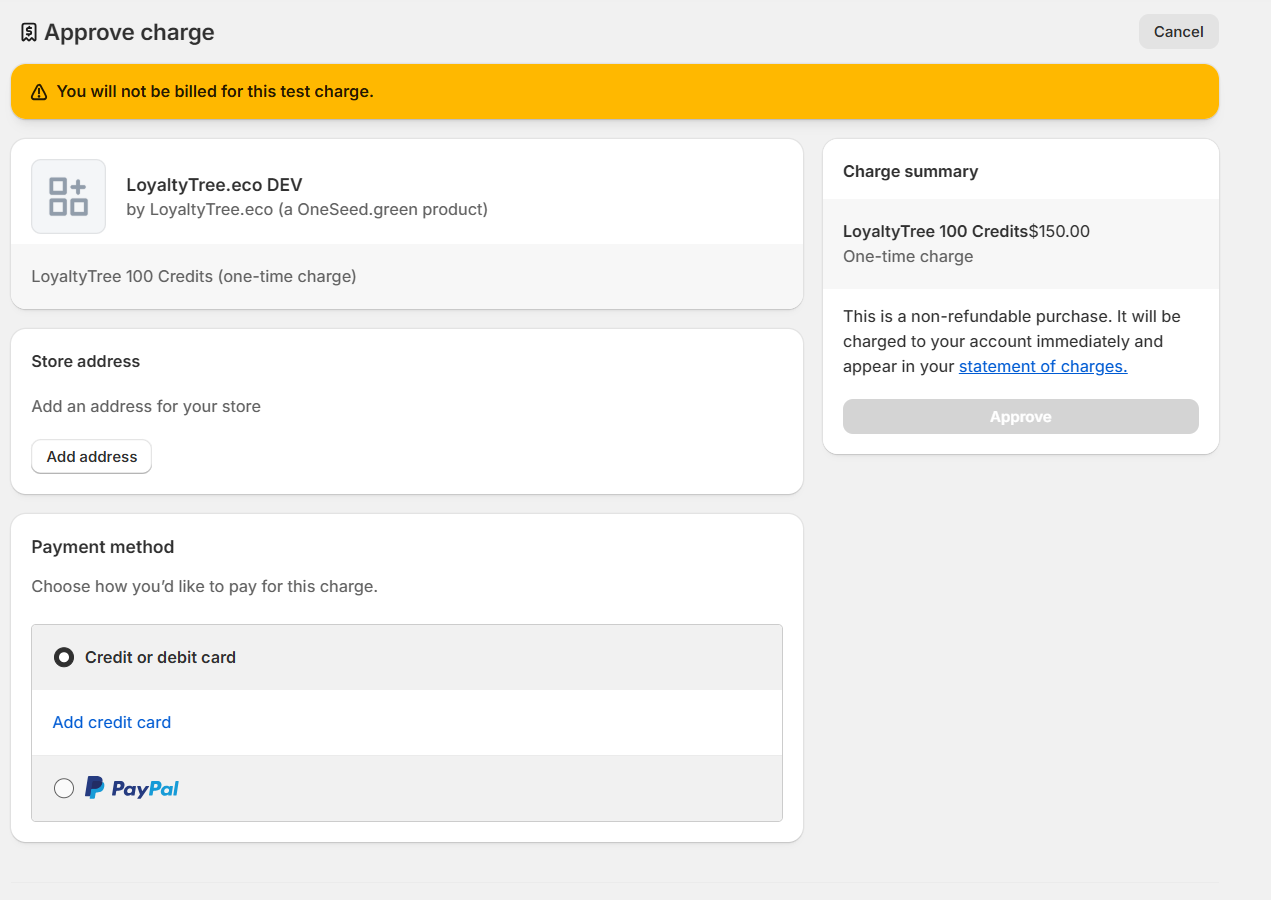
After approving in Shopify, return to LoyaltyTree and refresh the page to see your updated balance.
Auto Top-up
Never run out of credits with automatic top-up. When enabled, Shopify will automatically purchase credits when your balance falls below your set threshold.
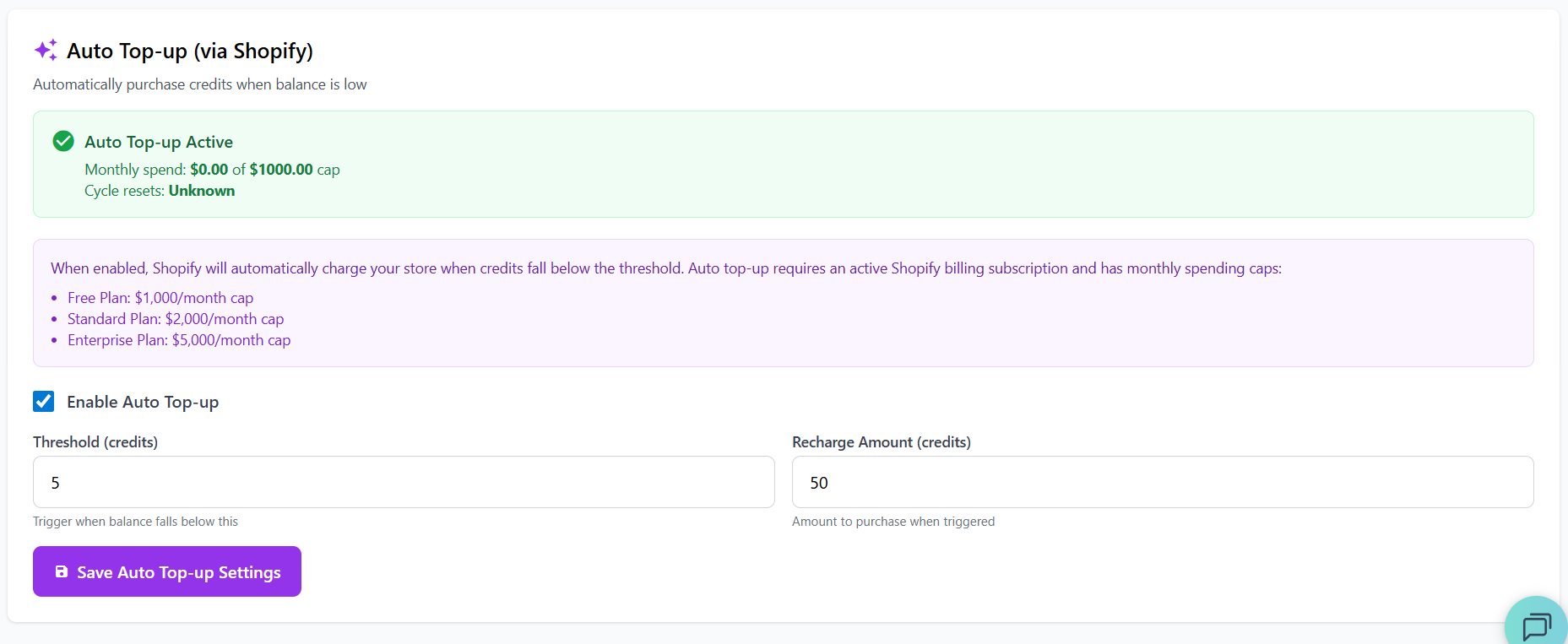
How Auto Top-up Works
- Set your Threshold - The credit balance that triggers a top-up
- Set your Recharge Amount - How many credits to purchase when triggered
- When your balance drops below the threshold, Shopify automatically charges your account
- Credits are added instantly - no approval needed!
- Free Plan: $1,000/month cap
- Standard Plan: $2,000/month cap
- Enterprise Plan: $5,000/month cap
Pending Billing Approvals
Manual credit purchases require approval in Shopify. Pending approvals appear at the top of the billing page:
Click Approve / Cancel to go to Shopify and complete or cancel the purchase.
Transaction History
Click the Transactions tab to view your complete credit purchase and usage history. This includes:
- Credit purchases (manual and auto top-up)
- Subscription credit allocations
- Credit consumption for eco-rewards
Need Help?
If you have questions about billing or credits, visit our FAQ or contact support.