
Setting Up Consumer Sponsorship
Enable customers to directly sponsor environmental initiatives at checkout. Configure pricing, messaging, and fulfillment for tree planting and eco-products.
Setting Up Consumer Sponsorship
Enable customers to directly sponsor environmental initiatives at checkout, independent of loyalty rewards.
What is Consumer Sponsorship?
Consumer sponsorship allows customers to add tree planting or eco-product sponsorships to their cart at checkout. This is separate from loyalty rewards and provides immediate environmental impact.
Enabling Sponsorship
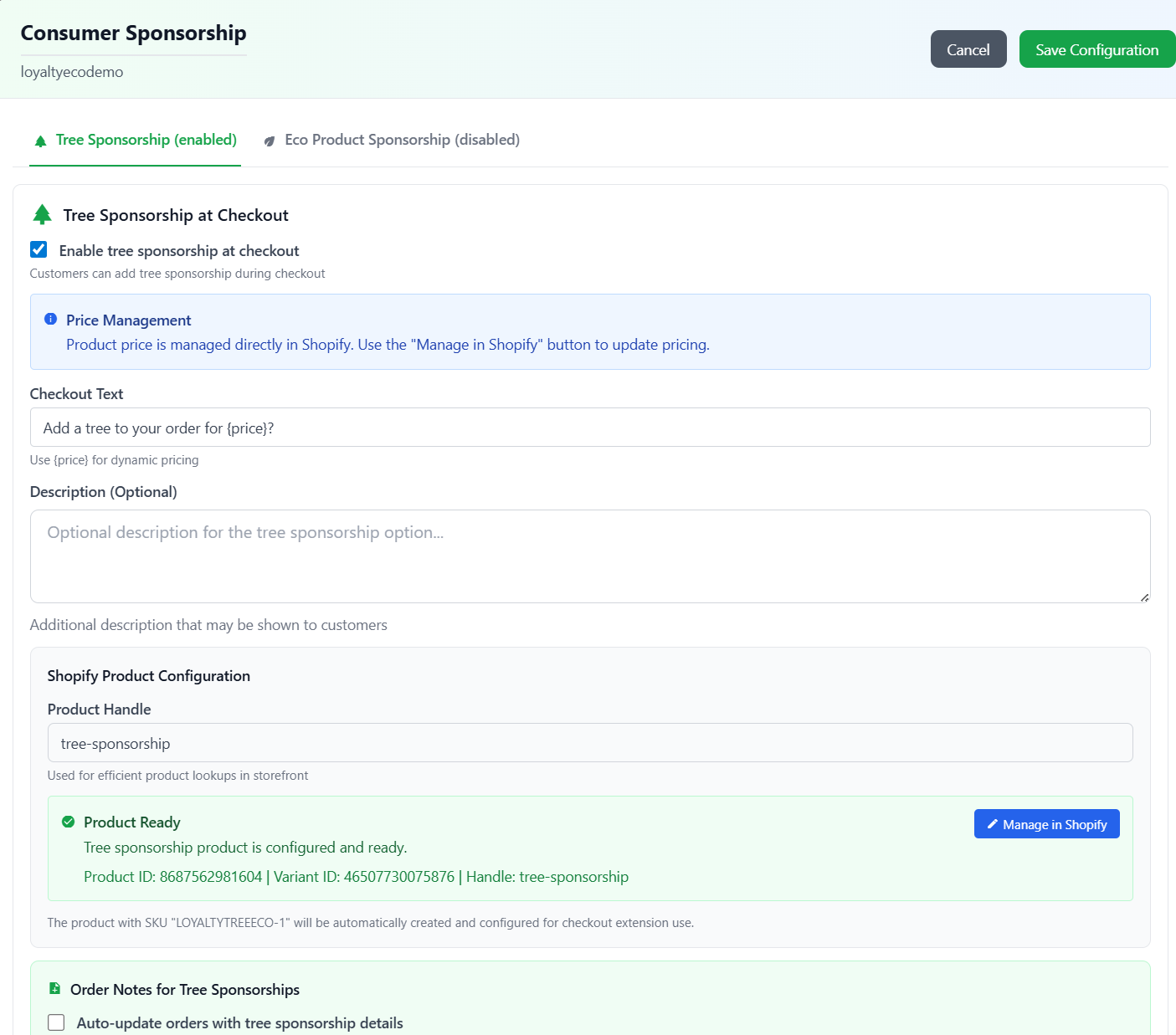
Enable tree sponsorship for your customers
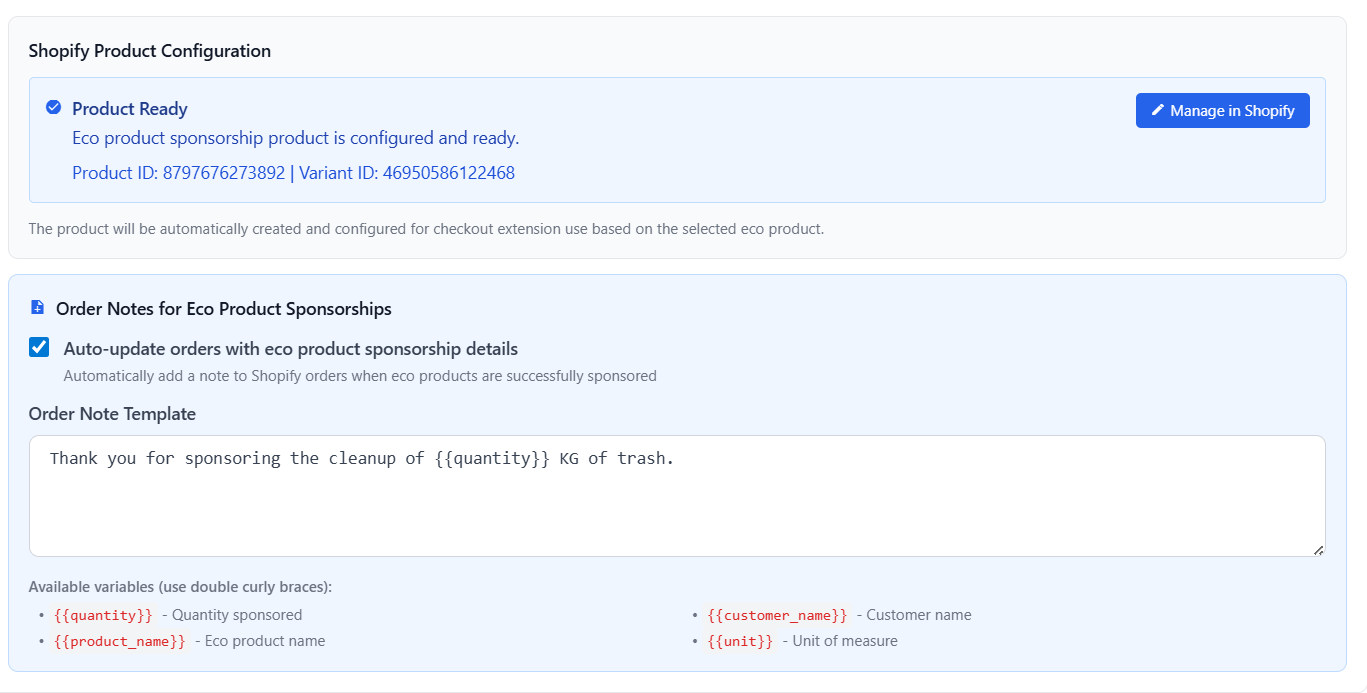
Customize order notes for eco product sponsorship purchases
Step 1: Navigate to Sponsorship Settings
Go to Stores → [Your Store] → Sponsorship in LoyaltyTree admin.
Step 2: Enable Consumer Sponsorship
Toggle on "Enable Consumer Sponsorship" to activate the feature.
Step 3: Configure Pricing
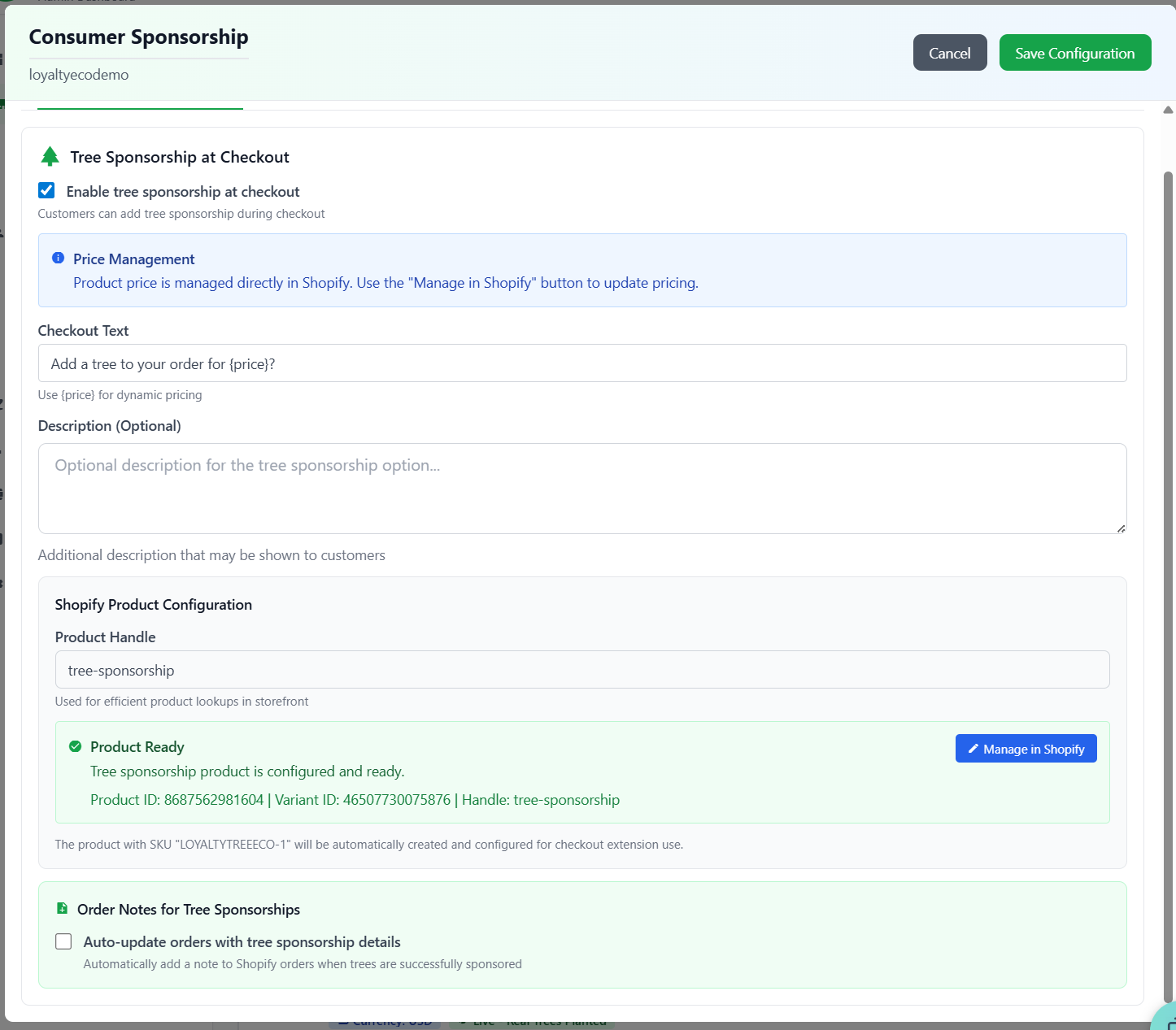
Configure tree sponsorship pricing and product settings
Set the price per eco-product unit:
- Tree planting: e.g., $1.50 per tree
- Plastic removal: e.g., $0.50 per kg
- Coral restoration: e.g., $5.00 per unit
Your pricing includes:
- OneSeed fulfillment cost
- Certificate generation
- GPS tracking (for trees)
- Your desired margin
Checkout Integration
Automatic Product Creation
When you enable consumer sponsorship, LoyaltyTree automatically:
- Creates sponsorship products in your Shopify catalog
- Configures pricing based on your settings
- Sets products as hidden from storefront
- Tags them for checkout UI extension detection
Checkout Display
Customers see a sponsorship card at checkout offering:
- Choice between tree planting and other eco-products
- Quantity selector
- Real-time price calculation
- Environmental impact preview
Customizing Checkout Messaging
Headline and Description
Customize the checkout sponsorship card messaging:
- Headline: e.g., "Plant Trees with Your Purchase"
- Description: Explain the impact and process
- CTA Text: e.g., "Add to Order"
Order Processing
Fulfillment Flow
When a customer sponsors eco-products:
- Sponsorship added to cart as line item
- Order processed through Shopify
- LoyaltyTree webhook detects sponsorship product
- Fulfillment request sent to OneSeed API
- Certificate generated and sent to customer
- GPS coordinates recorded (for trees)
Order Notes Integration
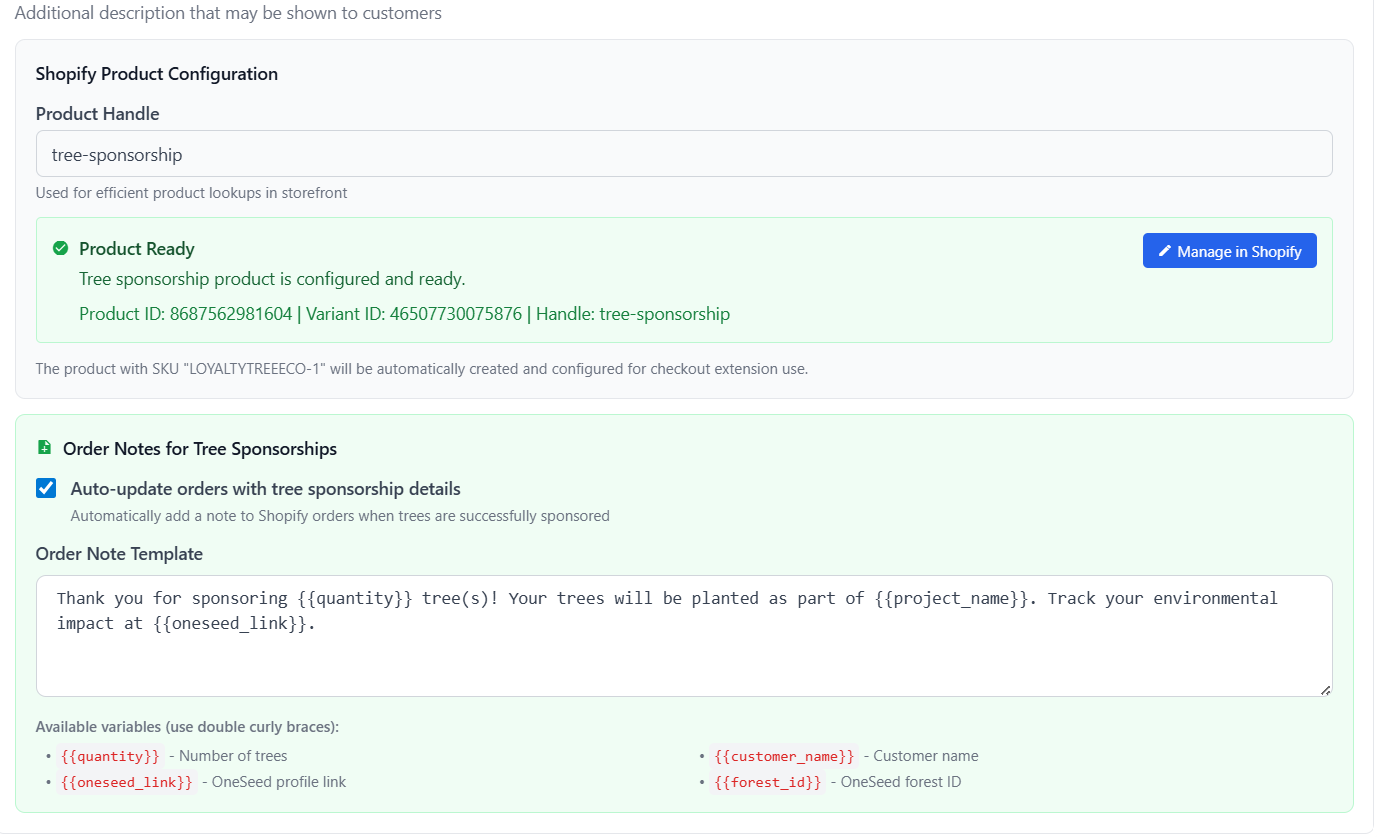
Customize order notes for tree sponsorship purchases
Configure whether to add sponsorship details to Shopify order notes:
- Tree quantities and GPS coordinates
- Eco-product types and amounts
- Certificate links
Navigate to Stores → [Your Store] → Settings → Order Notes to configure.
Dual Sponsorship
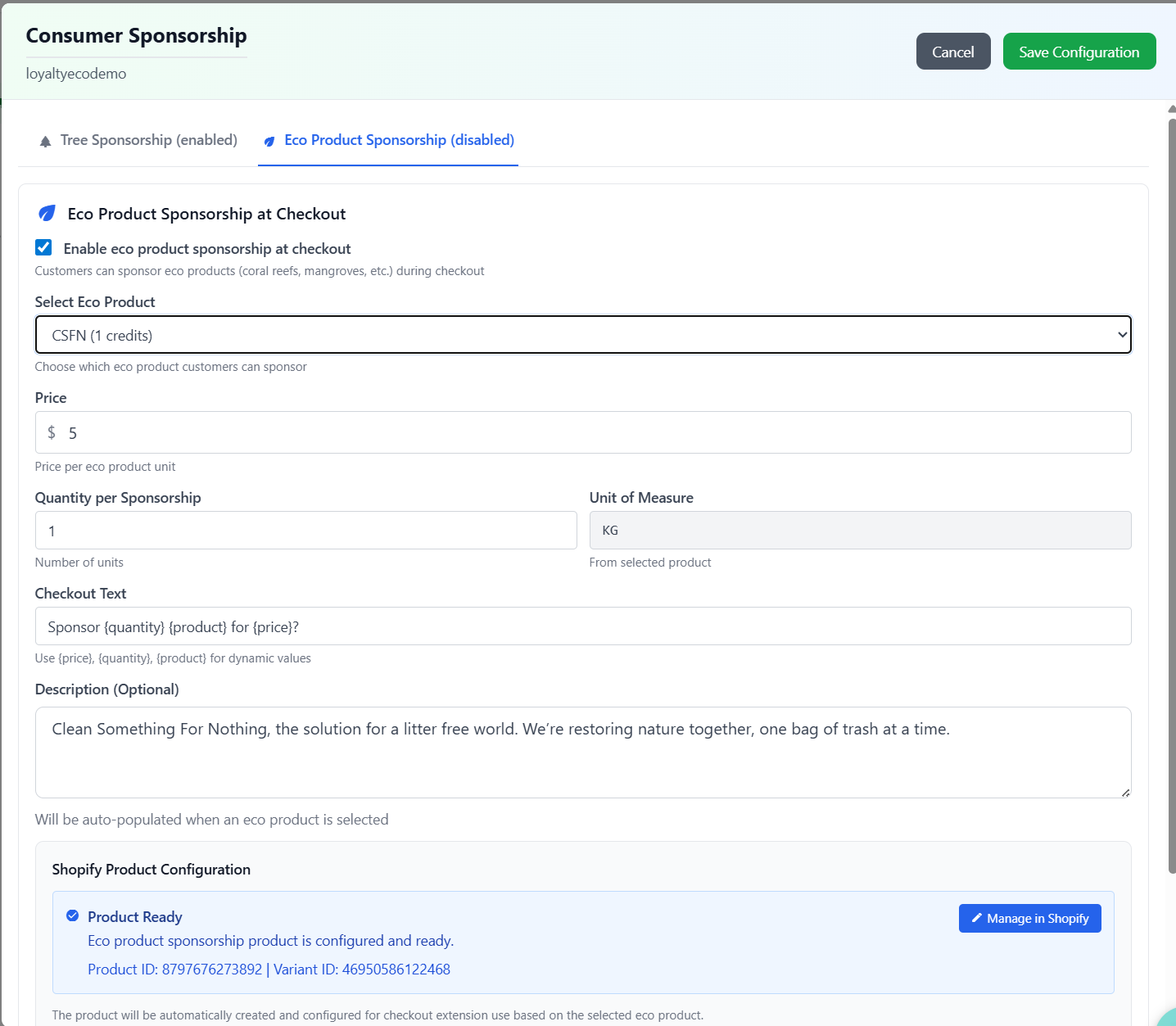
Configure eco product sponsorship options
LoyaltyTree supports simultaneous tree and eco-product sponsorship:
- Customers can sponsor both trees AND plastic cleanup in one order
- Each gets its own certificate
- Separate tracking for each initiative
Revenue and Margin
Pricing Strategy
Recommended pricing approach:
- Cover OneSeed costs ($0.30-0.50 per tree)
- Add 50-200% markup for sustainability
- Consider offering at-cost for maximum impact
- Bundle with products for higher perceived value
Analytics and Reporting
Track sponsorship performance:
- Total trees/eco-products sponsored
- Revenue from sponsorships
- Conversion rate at checkout
- Environmental impact metrics
View reports at Dashboard → Impact.
Best Practices
- Keep pricing transparent and reasonable
- Emphasize environmental impact over profit
- Show cumulative impact on storefront
- Send thank-you emails with certificates
- Share impact stories on social media
Troubleshooting
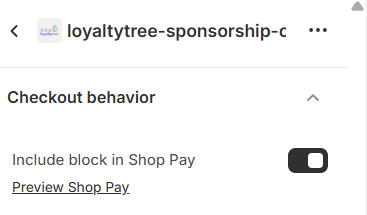
- Sponsorship not appearing at checkout: Verify app extension is enabled in Shopify AND you have enabled for ShopPay if that is your checkout
- Products not created: Check OneSeed account connection
- Fulfillment failed: Verify OneSeed API credentials and credit balance
Next Steps
Optionally configure automated gift card rewards for loyal customers.