
Using the Cost Profile and Impact Calculator
Learn how to use the Cost Profile and Impact Calculator to optimize seed allocation and balance loyalty engagement with sponsorship costs.
Using the Cost Profile and Impact Calculator
The Cost Profile and Impact Calculator helps you optimize your seed allocation settings to maximize customer loyalty impact while managing costs effectively. This tool visualizes how different customer behaviors translate into seeds earned, tier progression, and your environmental sponsorship costs.
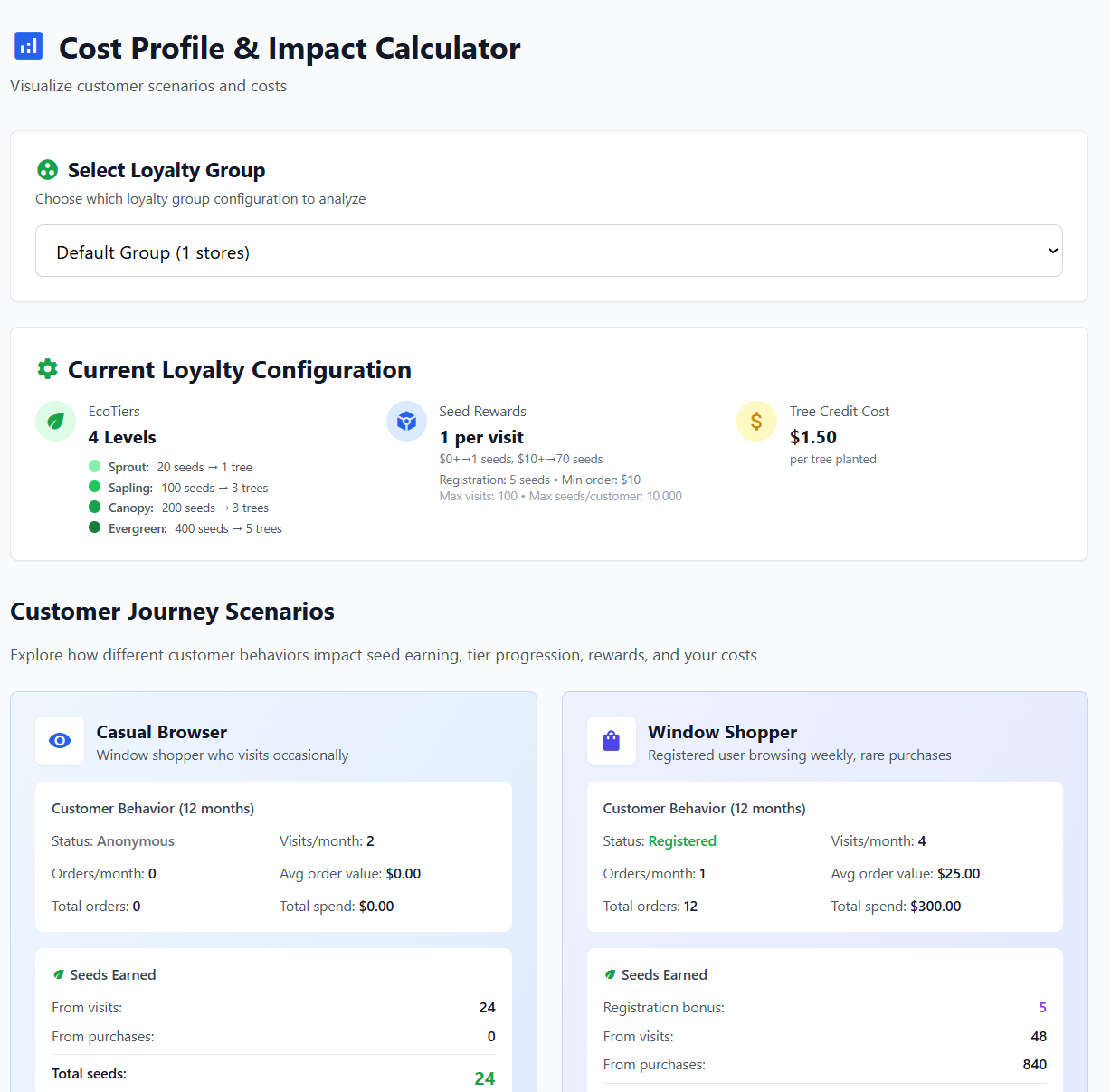
The Cost Profile and Impact Calculator shows your current configuration and customer journey scenarios
Accessing the Calculator
Navigate to Reports → Cost Profile Calculator from your admin dashboard.
Understanding Your Current Configuration
The calculator displays your Current Loyalty Configuration at a glance:
- EcoTiers: Your tier structure showing seed thresholds and tree rewards (e.g., Sprout: 20 seeds → 1 tree)
- Seed Rewards: Your visit and purchase seed allocation settings
- Tree Credit Cost: Your cost per tree planted (e.g., $1.50 per tree)
Customer Journey Scenarios
The calculator shows how different customer types interact with your loyalty program over 12 months:
Casual Browser
A window shopper who visits occasionally but rarely purchases:
- Status: Anonymous
- Visits/month: 2
- Orders: 0
- Seeds earned: Primarily from visits
This helps you understand the cost of rewarding engagement without purchases.
Window Shopper
A registered user who browses weekly with rare purchases:
- Status: Registered
- Visits/month: 4
- Orders/month: 1
- Average order value: $25
Shows the balance between visit seeds, purchase seeds, and registration bonuses.
Regular Customer
An active customer who purchases frequently:
- Higher visit frequency
- Multiple orders per month
- Higher average order values
Demonstrates tier progression and accumulated environmental impact.
Custom Scenario Calculator
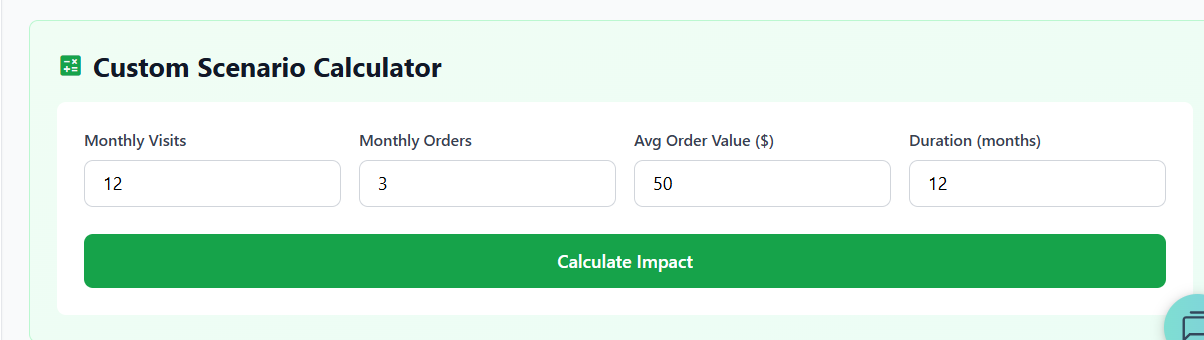
Create custom scenarios to model specific customer behaviors
Create your own scenarios by entering:
- Monthly Visits: Expected store visits per month
- Monthly Orders: Expected purchases per month
- Avg Order Value ($): Typical order amount
- Duration (months): Time period to simulate (e.g., 12 months)
Click Calculate Impact to see:
- Total seeds earned from all sources
- Tier progression and rewards unlocked
- Trees planted and environmental impact
- Your cost for this customer profile
Optimizing Your Configuration
Use the calculator to find the right balance:
If Costs Are Too High
- Reduce seeds per visit or increase hours between visits
- Raise order seed tier thresholds
- Increase seed requirements for EcoTiers
- Set a lower max visits total
If Engagement Is Too Low
- Increase seeds per visit to reward browsing
- Lower order seed tier thresholds
- Add more achievable early tiers (e.g., 20 seeds for first tree)
- Increase registration bonus
Finding the Sweet Spot
Aim for a configuration where:
- Casual browsers earn some seeds but don't progress to expensive tiers
- Regular customers reach meaningful environmental milestones
- Your cost per customer aligns with your budget and customer lifetime value
Tips for Effective Use
- Test multiple scenarios: Model your actual customer segments
- Consider seasonality: Adjust for peak shopping periods
- Review regularly: Revisit as your business grows
- Balance engagement and cost: More seeds drive loyalty but increase tree costs
Next Steps
After optimizing your seed allocation, configure your EcoTiers and rewards structure.