
Configuring Seeds and EcoTiers
Set up how customers earn loyalty seeds and what environmental rewards they unlock at each tier. Configure purchase ratios, visit rewards, and eco-product incen
Configuring Seeds and EcoTiers
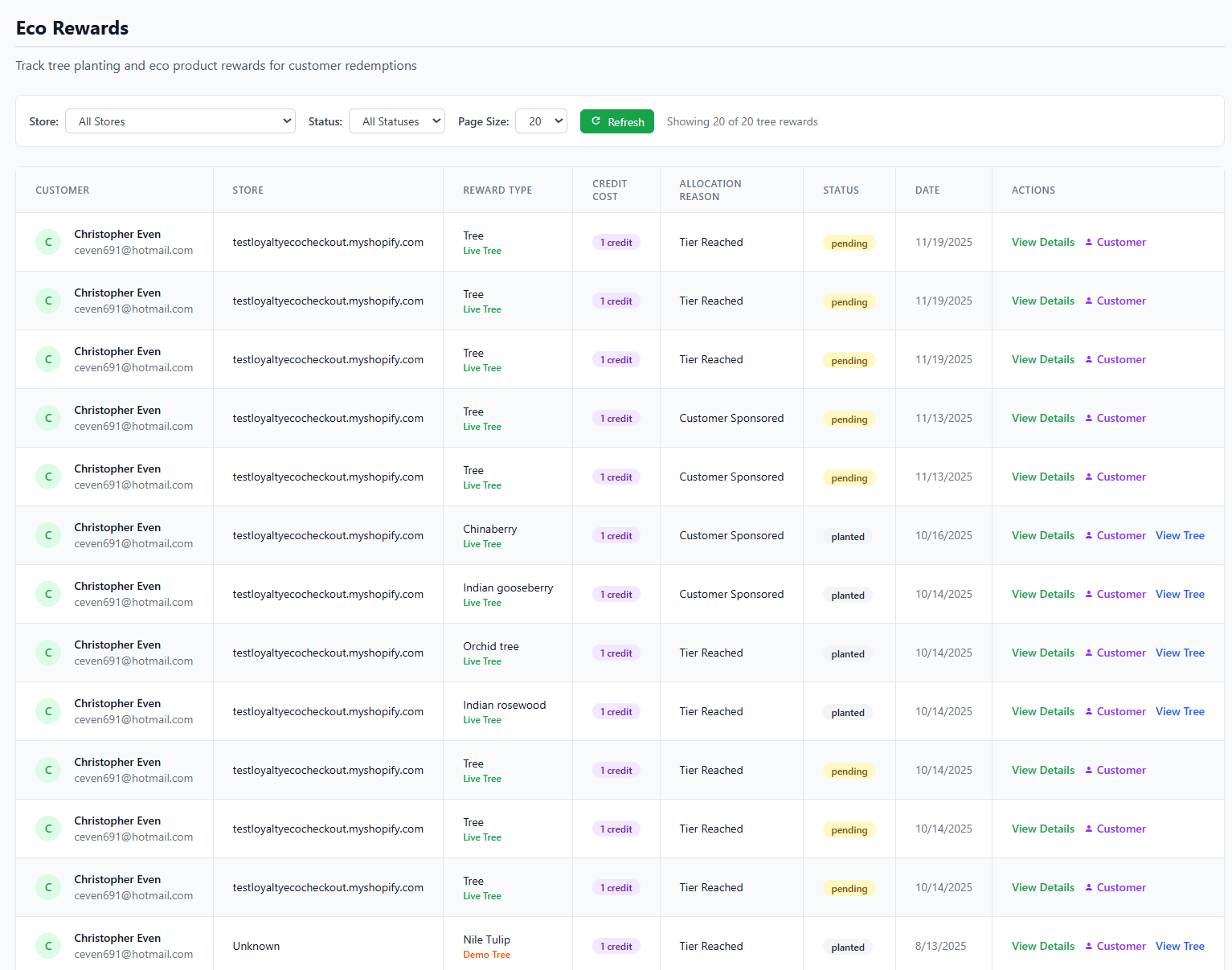
Configure different tier levels and rewards for customer progression
Set up how customers earn loyalty seeds and what environmental rewards they unlock at each tier.
Understanding the System
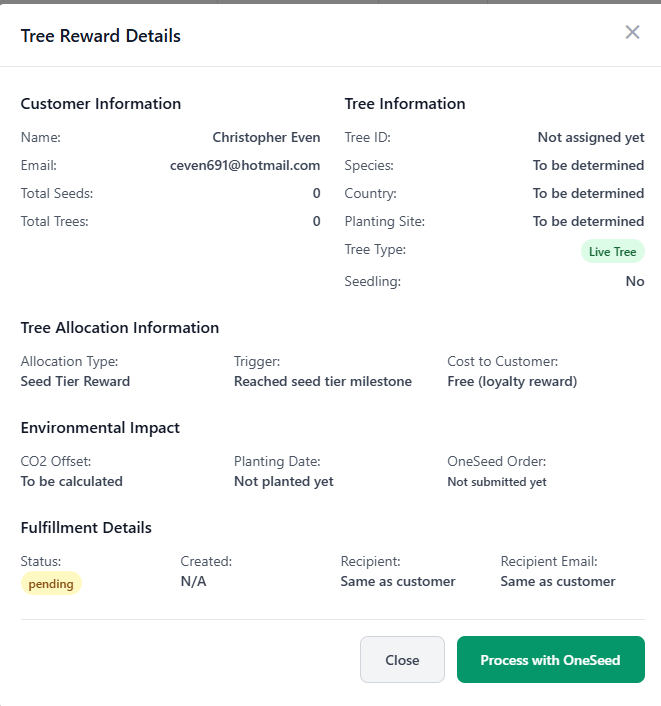
Detailed tree reward configuration for each tier
LoyaltyTree uses a two-tier reward structure:
- Seeds: Points customers earn from purchases, visits, and registration
- EcoTiers: Milestone levels that unlock eco-product rewards (trees, coral reefs, plastic cleanup)
Configuring Seed Earnings
Seeds are allocated through your Loyalty Group's Seed Settings. Navigate to Stores → [Your Store] → Loyalty Groups and click on the group to configure.
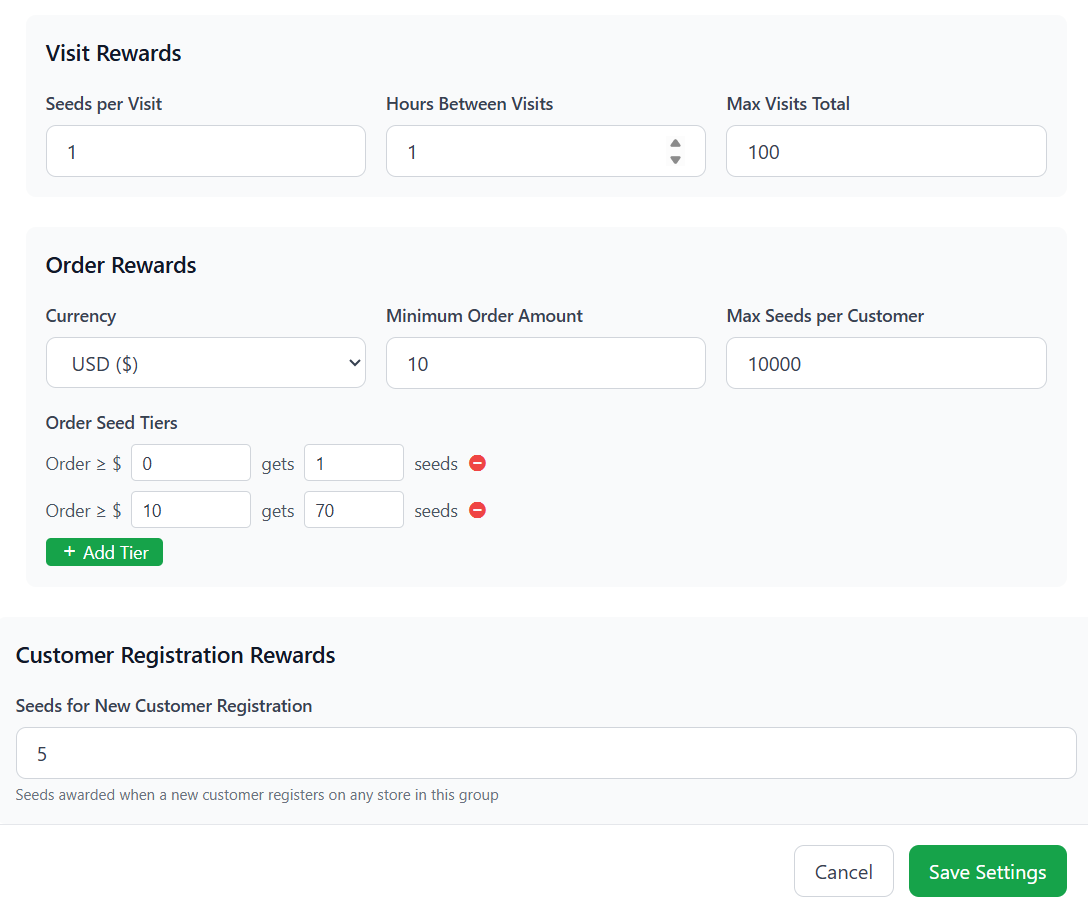
Configure visit rewards, order rewards with seed tiers, and registration rewards
Visit Rewards
Reward customer engagement by granting seeds for store visits:
- Seeds per Visit: How many seeds to award for each qualifying visit
- Hours Between Visits: Minimum time between visits to qualify (prevents abuse)
- Max Visits Total: Lifetime limit on visit seeds per customer
Typical setting: 1 seed per visit, 1 hour between visits, 100 max visits
Sharing Rewards
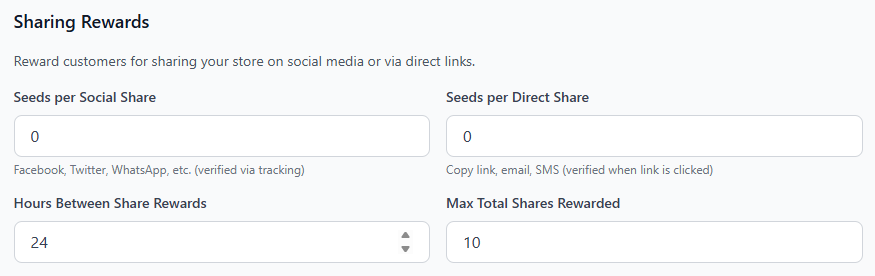
Reward customers for sharing products and eco pages.
- Seeds per Social Share: How many seeds to award for each social share. verified only.
- Seeds per Direct Share: How many seeds to award for each direct share verified only.
- Hours Between Share Rewards: Minimum time between shares to qualify (prevents abuse)
- Max Total Shares: Lifetime limit on visit seeds per customer
Referral Rewards
Reward customers for shares that convert to purchases

Order Rewards with Seed Tiers
Seeds are awarded based on Order Seed Tiers - spend thresholds that determine how many seeds a customer receives. This is not a per-dollar calculation; instead, you set specific order value thresholds:
- Currency: The currency for calculating order totals
- Minimum Order Amount: Orders below this amount do not earn seeds
- Max Seeds per Customer: Lifetime limit on order seeds (e.g., 10,000)
Order Seed Tiers
Define threshold-based seed awards. For example:
- Order ≥ $0: Gets 1 seed (baseline reward for any order)
- Order ≥ $10: Gets 70 seeds (bonus for higher spend)
- Order ≥ $50: Gets 150 seeds (even more for larger orders)
The highest matching tier applies. Click + Add Tier to create additional thresholds.
Customer Registration Rewards
Award seeds when new customers register on any store in the loyalty group:
- Seeds for New Customer Registration: One-time bonus (e.g., 5 seeds)
This encourages customers to create accounts and engage with your loyalty program.
Configuring EcoTiers
Creating Tiers
Navigate to Customers → Eco Rewards to create and manage EcoTiers.
Each tier includes:
- Tier name: e.g., "Seedling", "Sapling", "Forest Guardian"
- Seed threshold: Seeds needed to reach this tier
- Eco-products: Environmental rewards unlocked
- Badge/icon: Visual achievement indicator
Example Tier Structure
- Tier 1 - Seedling: 100 seeds → 1 tree planted
- Tier 2 - Sapling: 500 seeds → 5 trees planted
- Tier 3 - Forest Guardian: 2000 seeds → 25 trees + 10kg plastic removal
Eco-Product Selection
Available Eco-Products
Configure which environmental initiatives are available as rewards:
- Tree Planting: Trees with GPS tracking via OneSeed
- Plastic Waste Removal: Ocean and beach cleanup (kg removed)
- Coral Reef Restoration: Support coral regeneration projects
- Custom Initiatives: Create your own eco-product types
Navigate to Customers → Eco Rewards → Manage Eco Products to configure.
Certificates and Documentation
When customers reach a tier, they receive:
- Personalized certificate documenting their impact
- GPS coordinates (for tree planting)
- Before/after photos (for cleanup projects)
- CO₂ offset calculations
Advanced Settings
Tier Reset Policies
Choose whether tiers reset annually or accumulate permanently:
- Permanent: Once earned, always kept (recommended)
- Annual Reset: Fresh start each year
- Rolling Window: Based on last 12 months of activity
Notification Settings
Configure how customers are notified of tier achievements:
- In-widget notifications
- Email notifications
- Push notifications (if enabled)
Optimizing Your Configuration
Use the Cost Profile and Impact Calculator to visualize how different customer behaviors impact seed earning, tier progression, rewards, and your costs. This tool helps you find the right balance between customer engagement and sponsorship costs.
Testing Your Configuration
Before going live, test your setup:
- Create a test order on your store
- Verify seeds are awarded correctly based on order seed tiers
- Check tier thresholds trigger properly
- Confirm certificates are generated
Next Steps
After configuring your loyalty tiers, optionally set up direct consumer sponsorship at checkout.